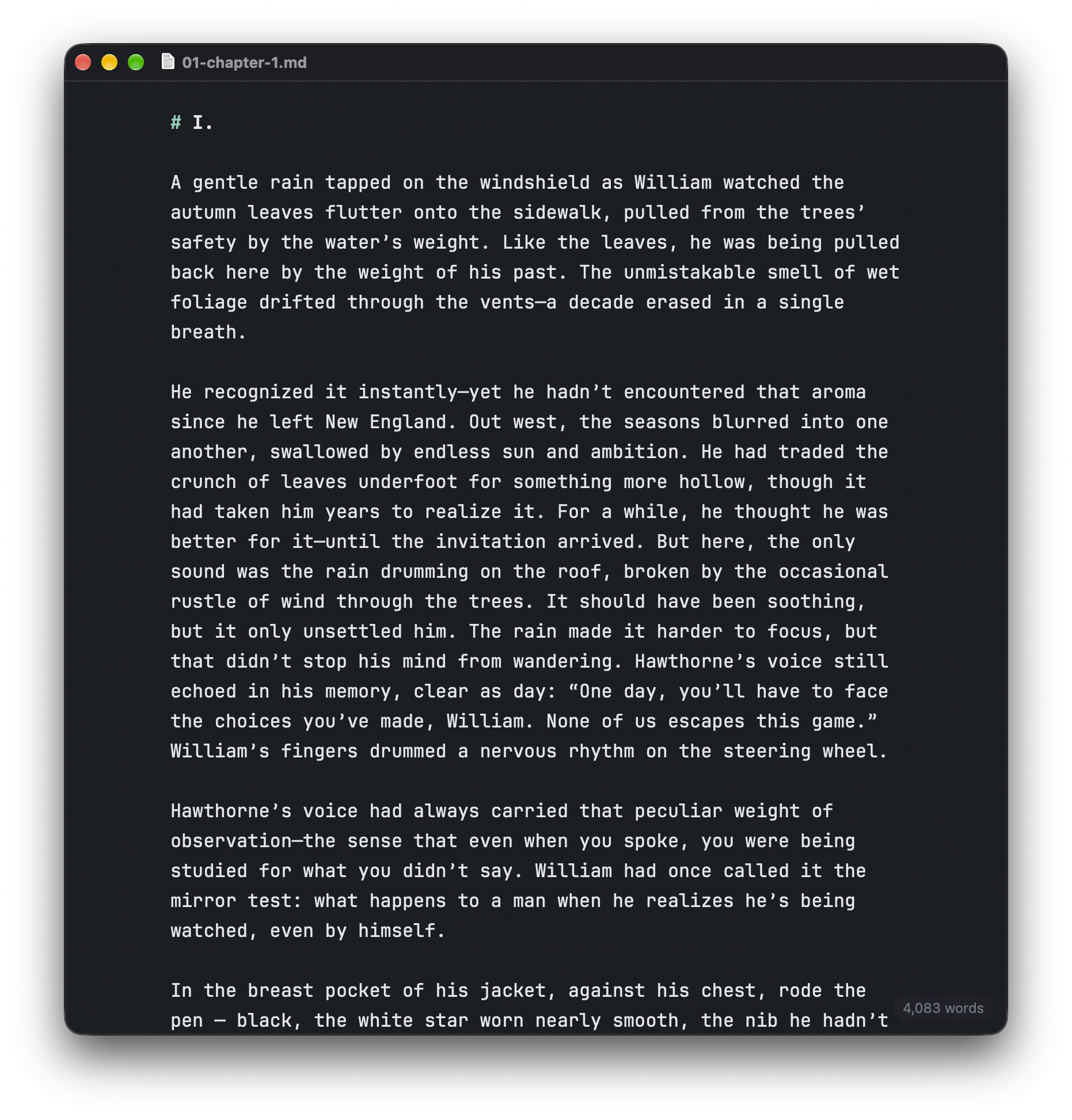
A native macOS editor for writers who work in markdown. No preview pane. No split view. No “rendered” mode — the formatting lives right in the page as you type it.
Bold turns bold. The # marks tint but never hide. That's the whole idea.
Bold, italics, strikethrough, headings, lists nested five deep, blockquotes, code. It renders as you type, and every character stays visible and editable.
Nothing embedded, nothing proprietary, nothing stored anywhere but where you save it. Anything Cordelia opens, any editor opens.
Text holds to a ~66-character column, centered like a page. A quiet word count sits in the corner — syntax and list markers don't inflate it.
System spell-check flags likely typos. Autocorrect, smart quotes, text replacement — all off. Information, never intervention.
Autosave, rename from the title bar, revert to versions, Open Recent. Standard Mac behavior, because macOS handles it.
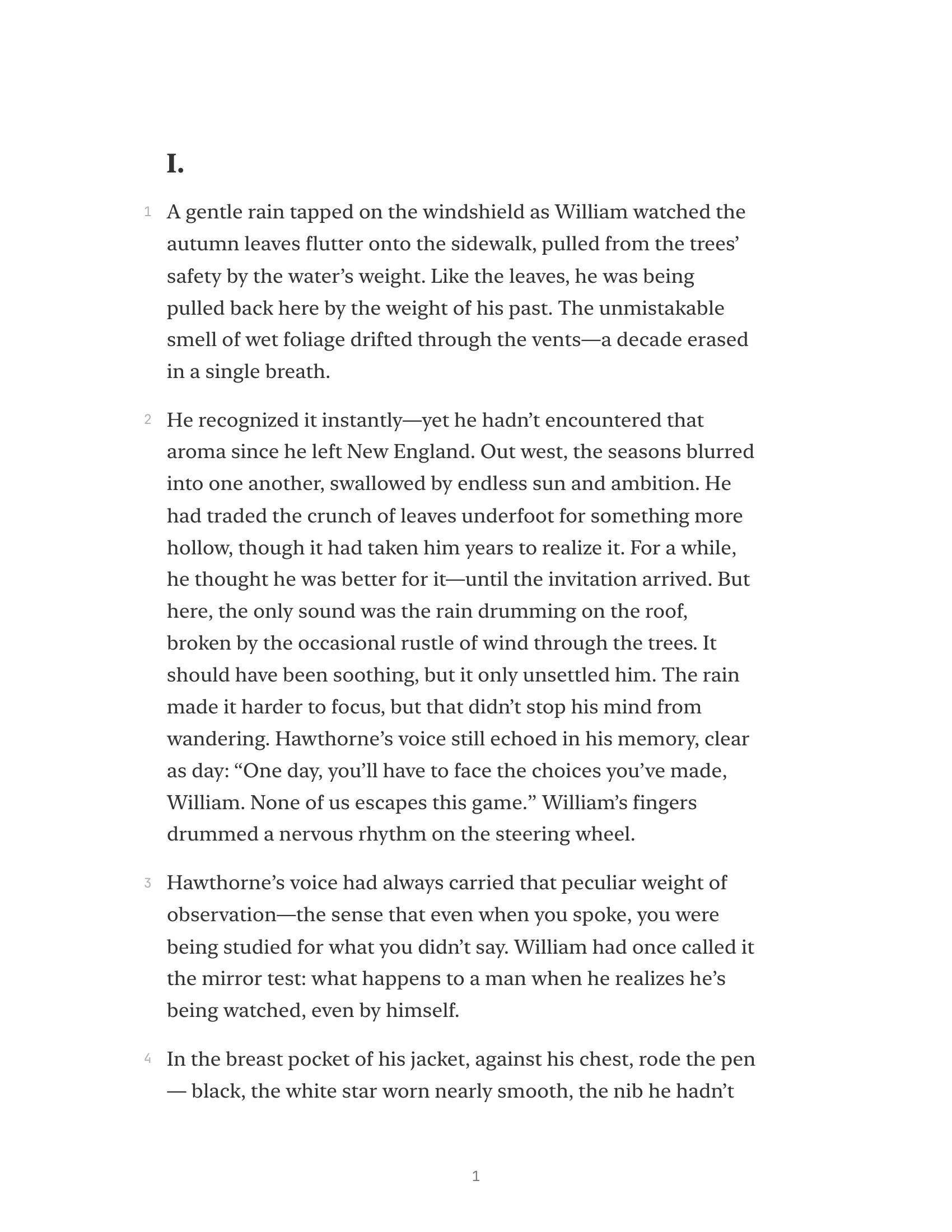
Typeset PDF or HTML: serif type, generous spacing, an extra-wide right margin and optional line numbers for the critique group.

No fonts, colors, styles, or rulers. If a document needs those, it isn't a markdown document.
No rendered HTML view, no split pane. The live formatting is the preview; Export is the typeset copy.
No library, folders-in-app, tags, or cross-document search. Cordelia edits files; Finder organizes them.
No accounts, sync, collaboration, or telemetry. Your files are on your disk — or your own iCloud/Dropbox folder.
No auto-capitalization, no smart punctuation, no “helpful” substitutions. The closest thing Cordelia has to a sacred rule.
No plugins, themes, or settings labyrinth. The intended experience is: open, write, close.
“What it isn't today, it mostly won't be tomorrow either — the restraint is the roadmap.”
Requires macOS 14 (Sonoma) or later. The editor uses JetBrains Mono, bundled with the app. The UI uses the system font.
Become a first readerOr just write to [email protected] if the link gives you trouble.